

If you are using our products on the FiveM Multiplayer server, you are required to run them through Cfx.re Portal to get them escrow protected. After that, you can download them to your server from the Cfx.re Portal. You are responsible for ensuring that the products do not spread, which is why we ask you to protect your purchased products this way! If you have not protected the products, an outsider can get them from the server without accessing the server itself.
You can only upload the product’s “MP Server Ready”/”FiveM ready” files to the Cfx.re Portal.
Instructions for uploading a product to the Cfx.re Portal:
- Log in to Cfx.re Portal: https://portal.cfx.re/
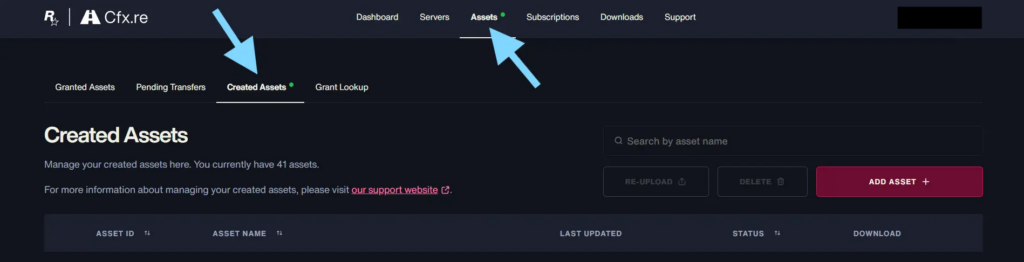
- Go to “Assets” tab and click “Created Assets” tab from there
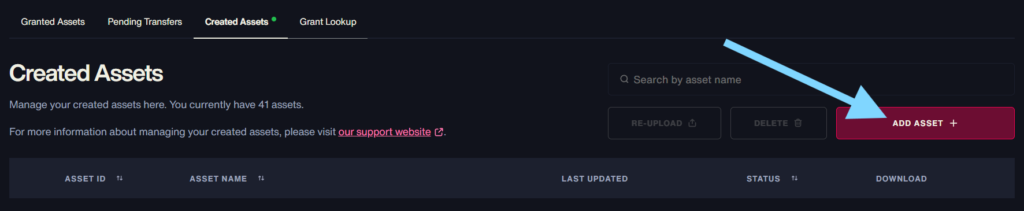
3. Click “ADD ASSET”
4. Give the asset name to “ASSET NAME”, and upload the product file to the service by clicking “Choose file”. (select the .zip file downloaded from https://modipaja.com/my-account/downloads/)
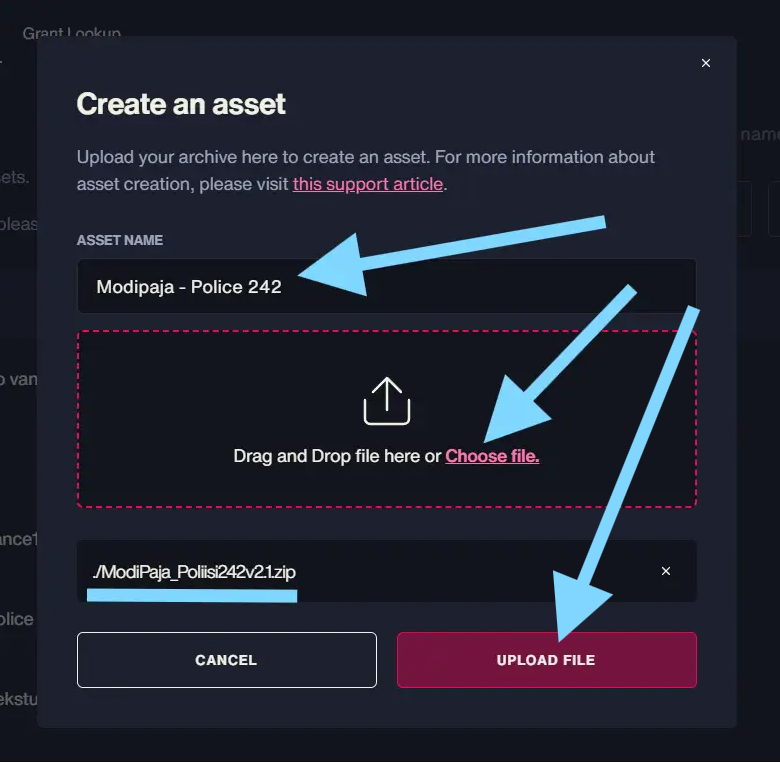
5. Click “UPLOAD FILE” and the product will be uploaded to Cfx.re Portal for processing (protecting).
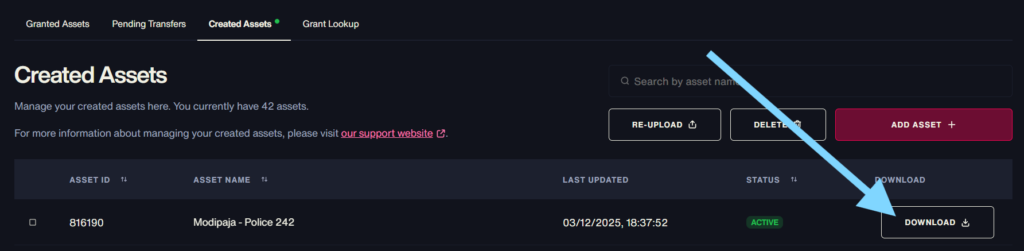
6. After a while the product appears to the list on the “Created Assets” (and “Granted Assets”) tab, and you can download it from there to your server.
Please note that sharing products to others through Cfx.re Portal is still prohibited.
Leave a Reply